See what any website is built with, and everything about its domain.
TLDlive Lens is a free browser extension for Chrome and Edge. Click the icon on any page to see its technologies, what the site is for, and the domain's status, age, nameservers and expiry. Detection runs in your browser; sharing is opt-in.
Add to Chrome (coming soon) Read the privacy policy
The Chrome Web Store listing is being prepared. This button will link to it when the extension is published; until then the page is a preview of what Lens does and exactly which data it handles.
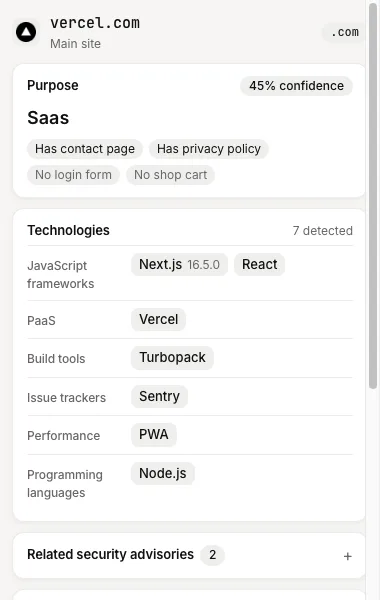
Technologies, detected in your browser
Lens recognises content management systems, ecommerce platforms, JavaScript frameworks, CDNs, analytics tools, tag managers, hosting platforms and more. It matches a bundled catalogue of fingerprints against what the page already exposes: response headers, meta tags, script and stylesheet URLs, cookie names, a few JavaScript globals and DOM markers. Each detection shows a confidence level and, when the site reveals it, a version.
Because detection runs after the page loads, Lens sees tags and frameworks that appear only through JavaScript, which a plain download of the HTML would miss. The manual version of the same process is described in what CMS a website uses.
What the site is for
Beside the technology list, Lens guesses the purpose of the site: ecommerce, blog, news, SaaS, portfolio, corporate, docs, forum, parked, landing page, webmail, adult, gambling or unknown. The guess combines schema.org types, the Open Graph type, generator meta, the detected technologies (Shopify implies ecommerce) and keyword heuristics on the title and meta description. The title and description are read on your device only and are never sent anywhere.
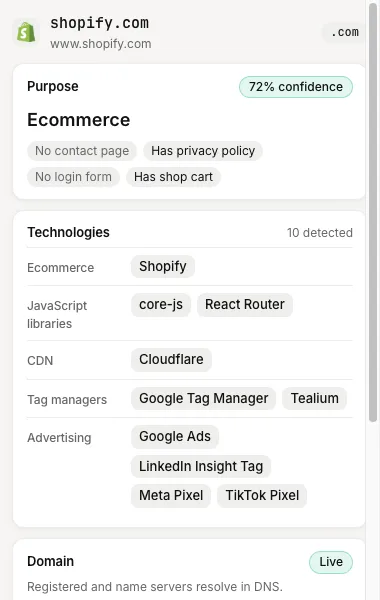
Domain status, age and expiry
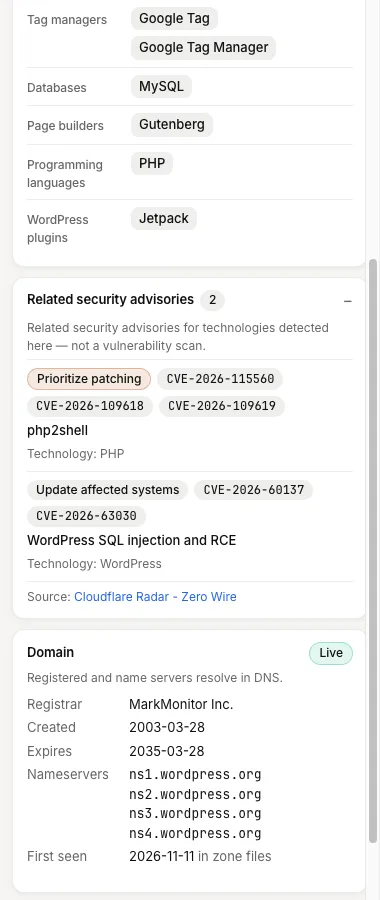
Lens looks up the page's registrable domain on TLDlive and shows its registration status, age, expiry date and nameservers where available, with a link to the full domain page. That turns a quick look at a website into a quick look at the asset behind it, which is useful when you are researching a domain to buy, comparing competitors or checking an unfamiliar link. For the research workflow, see how to research a tech stack before buying a domain.
Live or dead, parked or real
A domain can resolve and still be empty. Lens shows whether the site responds and flags parked pages, so that you can tell a real site from a placeholder in a glance. The signals behind that are explained in detecting parked domains.
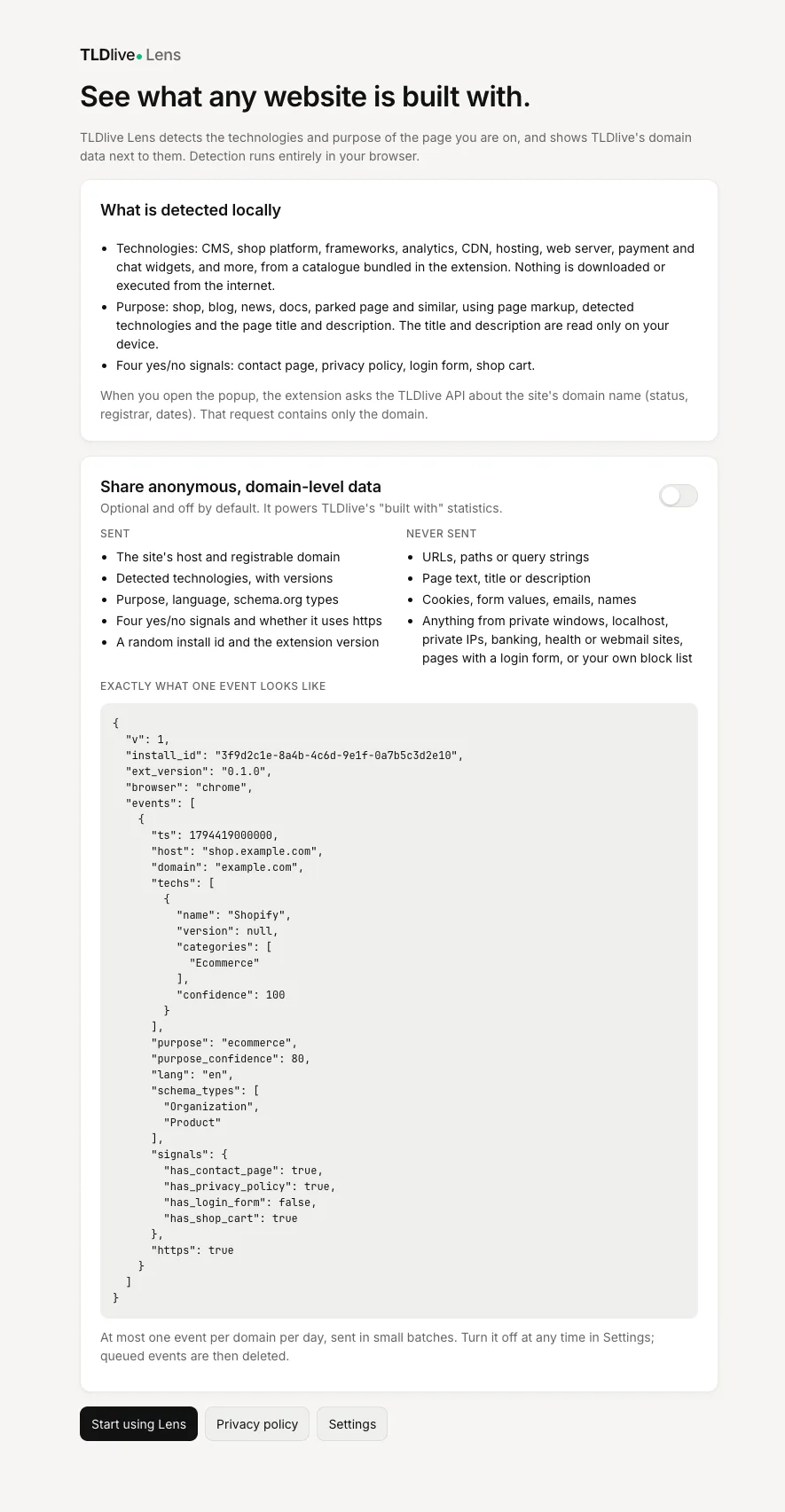
Privacy first
The popup works without an account and without sharing anything. Sending observations to TLDlive is off until you turn it on in the onboarding page, and you can switch it off at any time. If you opt in, Lens sends only domain-level information: never the pages you read, full URLs, form data or cookie values. Incognito windows, localhost, private network addresses, your own denylist and sensitive categories such as banking, health and webmail are excluded. The full details are in the table below and in the privacy policy.
What we collect and what we never collect
This applies only if you opt in to sharing. Detection and the popup work without it.
| Collected (opt-in only) | Never collected |
|---|---|
| The registrable domain and host of the site (for example example.com and shop.example.com) | Full URLs, paths and query strings |
| Names, categories, versions and confidence of detected technologies, from the extension's catalogue | Page content or page text, including the title and meta description |
| The purpose category and its confidence | Personal data: names, emails, phone numbers, contact details |
| Page language and schema.org type names | Cookie values, form data or passwords |
| Four yes or no signals: has a contact page, has a privacy policy, has a login form, has a shop cart | Your browsing history beyond a once-a-day, domain-level observation |
| Whether the page used HTTPS, and a timestamp | Anything from incognito windows, localhost, private networks, your denylist or sensitive categories |
| Extension version and browser name | Your name, account or any identifier derived from you |
| A random install ID (stored hashed on our server) and a coarse country derived by the server from the connection | Your IP address in stored events, or precise location |
Observations are deduplicated so a domain is sent at most once per day per install. Raw events are deleted after 180 days; aggregated statistics are kept. How this works in general is explained in technology fingerprinting and privacy.
What sharing builds
When people opt in, their anonymous observations become public statistics on the technology analytics pages: which technologies are most common, which are rising, and what newly registered domains run. You get a better public dataset and nobody gets a dossier. The method and its limits are documented in what newly registered domains run.
Who uses it
- Domain investors and buyers checking what a name has been used for and when it expires.
- Developers and agencies identifying the stack of a prospect or a competitor.
- Security and brand teams triaging lookalike domains by their technology and age.
- Marketers and researchers comparing how sites in a market are built.
Permissions, in plain words
Lens asks for a small set of browser permissions. storage keeps your settings and denylist on your device. alarms schedules the periodic batch upload when sharing is on. webRequest lets it read response headers, which many fingerprints depend on, and Lens does not modify or block any request. Access to websites (http://*/* and https://*/*) is needed so that detection can run on whichever pages you visit and so that the popup can call the TLDlive API; page content is processed on your device. Lens does not request activeTab, because this access already covers the pages it works on. The listing explains each in detail.
Screenshots
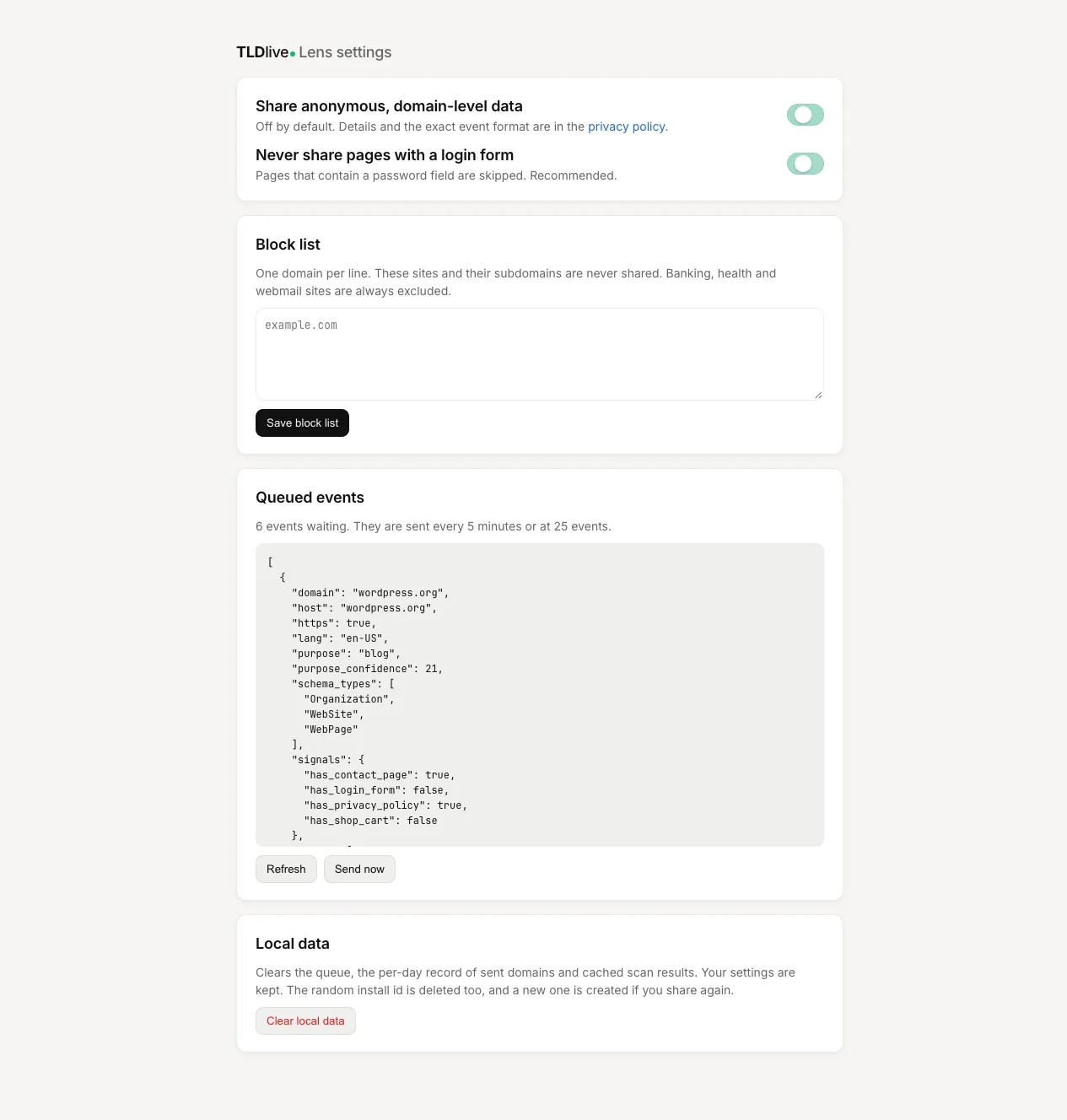
Images come from the current build of the extension.
Frequently asked questions
Is TLDlive Lens free?
Yes. The extension is free to install and use. Detection and the popup work without an account.
Which browsers does it support?
Chrome and Edge first, using the same Manifest V3 code. A Firefox build is planned from the same code base once the Chrome version is published.
Does it work without sharing any data?
Yes. Sharing is off until you opt in. With it off, detection runs locally and the popup looks up the domain's public data on TLDlive.
What does it send to TLDlive when I open the popup?
To show domain status, age and expiry, the popup asks TLDlive about the registrable domain. That lookup is separate from the opt-in observations, and it contains no page content, full URL or cookie value.
How do I remove my data?
Use the clear-data option in settings, or contact privacy@tldlive.com. Uninstalling the extension stops all collection. The privacy policy explains what deletion covers.
Why does it ask for webRequest permission?
Response headers such as Server or X-Powered-By identify many technologies and cannot be read from page scripts. Lens only reads them and does not block or change requests.
When will it be in the Chrome Web Store?
The install button above is a placeholder until the listing is approved. Check this page for the link.